
Global Reddy Matrimony: User Success Guide
Updated: May 5
Welcome to the official launch of Global Reddy Matrimony (also known as Global Reddy Match). We are excited to provide our community with a dedicated, secure, and tradition-focused platform for finding lifelong connections.
Follow these essential steps to ensure your account is correctly set up, verified, and visible to others.
Phase 0: Installation
You can now install the official app directly from the Apple App Store or Google Play Store.
Search “Global Reddy Match” on the App Store
📲 Apple App Store: https://apps.apple.com/in/app/global-reddy-match/id6745020976
📲 Google Play Store: 👉https://play.google.com/store/apps/details?id=com.advgpro.cosmicmatch
Verify Developer: Ensure the app is listed under Advantage Pro to guarantee you are using the official version.
Step 1 of 4: Sign-Up & The "Email Rule"
Once the app is installed, you can begin the registration process.
Verify Your Number: Open the app and sign up using your mobile number to receive a verification code.


CRITICAL - Check Your Email: During sign-up, ensure you enter your correct and primary email address.
Why? Once our admin team verifies your profile, the system sends an automatic notification to this email. If the email is entered incorrectly, you will not know when your account is active.
Mandatory Location Capture: Tap the "Capture Location" button. This is required for authenticity and local matching.
Profile Ownership (Crucial for Parents): If you are a parent, you must categorize the account correctly:
Select "Other" under "Who is this profile for?".
Choose "My Son" or "My Daughter".
Phone Number: Enter your Son’s or Daughter’s mobile number here, not your own. Using the wrong number causes verification delays.


Step 2 of 4: Building Your Trusted Profile
To ensure you find the most relevant matches, a detailed profile is required.
Step A: Confirm Submission: Fill in your basic details (Name, DOB, Location) and tap "Confirm Submission."

Step 3 of 4: Profile Details
Immediately after confirming your basic account setup, you must complete the Profile Details section. This is a mandatory step to ensure your profile is fully verified and visible to the community.
What’s New?
We have added a dedicated section for you to express exactly what you are looking for in a partner.
Describe Your Ideal Match (NEW): Use this space to share your preferences regarding lifestyle, location, or values.
Example: "Looking for someone based on the US East Coast. Values family traditions and enjoys travel."
Personal & Birth Information: Fill in your religion, hobbies, and accurate birth details (City, Time, and Coordinates).
Work & Lifestyle: Select your profession, US Immigration status (if applicable), and physical attributes like height and weight.
You can now add your Moon Sign (Rasi) along with your birth details. This helps in providing more accurate compatibility markers for those who value traditional matching.
⚠️ CRITICAL NOTE: If you do not complete these Profile Details, your account will appear as "Unknown" to all other members. Completing this form ensures you are searchable and visible within the Global Reddy community.


Step 4 of 4: Profile Approval & Verification
Safety is our priority. We personally review every profile to ensure the community remains 100% authentic.
Validation Fee: To support security, verification, and operations, the app has a one-time contribution of $50 with two options to pay.
Option1: PayPal to https://paypal.me/RACFMatrimony
Option2: Zelle to finance@reddysfoundation.org
Profiles are manually verified to keep the platform safe and authentic. Your feedback during this soft launch is greatly appreciated.
Account Approval: When asked for a reference, you may enter "Ravi" or "Eswar" to assist our team in identifying your connection and streamlining your profile approval.
Verification Timeline: This manual review typically takes 12 to 24 hours. You will receive an email notification once your account is fully active.
Profile Preview: You can preview your profile even before it is approved. This allows you to review your information and make any corrections while your account is under verification.
However, other members will only be able to see your profile after it has been approved by our admin team.
How to Access
After submitting your profile, you may see the Account Verification screen.
Tap “Preview My Profile” to view how your profile currently appears.
Review your biodata, photos, and details to ensure everything is accurate.
Why This Is Useful
Previewing your profile helps you:
Check how your profile photo and biodata appear.
Confirm that all details are correct and complete.
Make improvements before your profile becomes visible to the community.
Once verification is complete (usually within 12–24 hours), your profile will become active and visible to other members.

Understanding Your Membership
Once your account is set up, you will see your membership status in your profile menu.
1. Trial Status
As a Trial user, you can explore the community and find potential matches, but your access is limited:
✅ What you CAN do: Browse the "All Matches" feed, apply filters (Location, Age, etc.), and "Like" profiles to save them for later.
❌ What is RESTRICTED: You cannot view sensitive details (Salary, Full Birth Info, Moon Sign) or start a Personal Chat/Parent Chat.


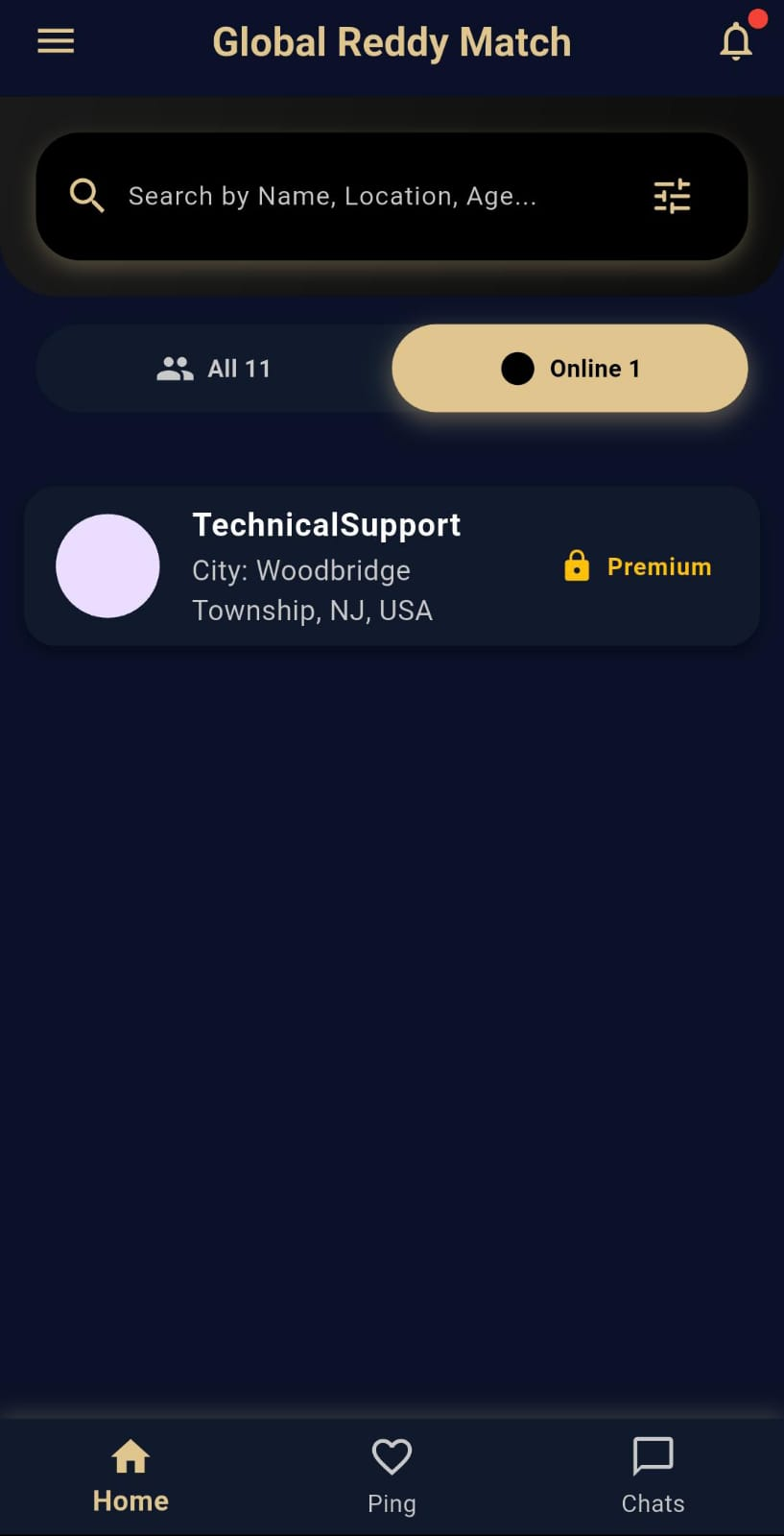
2. Premium Status
Upgrading to Premium unlocks the full power of the platform:
🔓 Full Profile Visibility: See the complete biodata, including Salary and Family Details.
🔓 Astrology & Moon Sign: Access full birth details and the new Moon Sign field for better compatibility.
🔓 Unlimited Communication: Unlock the Personal Chat and Parent Chat features to connect with matches immediately.
🔓 Unlimited Requests: Send interests to as many profiles as you like without restrictions.

Phase 5: Finding Your Match
Once your account is approved, you gain full access to the community features.
Browse Profiles: View detailed biodata and photos of verified members in the "All Matches" feed.


Liked Profiles: Tap the heart icon to save a profile for later viewing in your "Liked Profiles" tab.
Send Interest: Send a formal connection request to start a conversation.
Personal Chat: Connect with Confidence:Once your "Interest Request" is accepted or there is a mutual "Like," the Personal Chat feature is unlocked. Go to the "Chat" tab to start a secure, private conversation within the app.
Understanding Chat Alerts: To maintain transparency and respect within our community, we have implemented an Identity Alert system. While the platform now allows all verified members to communicate, we provide clear notifications so you always know who you are speaking with.
Can I start a personal chat?
Use this table to understand the chat experience:
Your Profile Type | Their Profile Type | Chat Status | Notification |
Myself (Candidate) | Myself (Candidate) | ✅ Enabled | Standard Chat |
Other (Parent/Sibling) | Other (Parent/Sibling) | ✅ Enabled | Standard Chat |
Myself (Candidate) | Other (Parent/Sibling) | ✅ Enabled | ‼️ Alert: "You are chatting with a Parent/Sibling" |
Other (Parent/Sibling) | Myself (Candidate) | ✅ Enabled | ‼️ Alert: "You are chatting with a Candidate" |
Why the Alert? ‼️
We believe in open communication, but we also value traditional family dynamics. These alerts ensure that whether you are speaking directly to a potential match or their family representative, the conversation begins with full clarity and mutual respect.


Manage Requests: Use the "Ping" tab to see your Possible Matches, Matches, and Sent Requests.


❓ Frequently Asked Questions (FAQ)
Q: What fields are required?
A:Enable Location Settings and share your current live location. This information is crucial for validating your profile's authenticity and ensuring security.
Complete the following required fields to finalize your profile details:
Profile Picture
Date of Birth
Email ( confirmation about activation is sent to email)*
Immigration Status
Religion
Language
Q: Why does my profile say "Unknown"?
A: This happens if the "Additional Preferences" form was not completed. Please update your profile immediately to become visible to others.
Q: Why is my account still "Under Verification"?
A: Every profile is reviewed by a human admin to ensure safety. This usually takes 12–24 hours. Mentioning Ravi/Eswar as a reference speeds this up.
Q: I didn't get a notification email. What should I do?
A: Check your spam folder first. If it's not there, you may have entered your email incorrectly during sign-up. Please reach out to our team for assistance.
Q: Is my one-time contribution a subscription?
A: No. This is a one-time payment that provides you with 2 years of full, verified access to the platform.
Q: Is my location data safe?
A: Yes! We only use the "Capture Location" feature to show you relevant matches in your area and to verify the authenticity of our users.
Q: How long does verification take?
A: We manually check every profile to protect our members. This usually takes between 12 to 24 hours.
Q: I am a parent creating a profile. Whose phone number should I use?
A: You must enter your son’s or daughter’s mobile number in the registration field. This ensures the profile is verified under the correct identity and appears properly within the community.
Q: How do I change the profile relationship after signing up?
A: If you need to update this, go to Settings → Profile → Submit Profile and ensure the "Profile For" dropdown is set to Son or Daughter.
Q: How do I know what my profile looks like to others?
A: Go to Settings → Profile and tap the "Preview" icon. This shows you exactly how your biodata and photos appear to the community!
Need Assistance?
For any technical issues, profile updates, or verification queries, please reach out to our dedicated support team:
Email: globalreddymatch@advgpro.com
📞 WhatsApp / Call: +1-202-926-6667
📞 Text / Call: +1571-775-2310

Comments