
Swayamwar Member Success Guide
Everything You Need to Complete Your Profile, Get Verified, and Find Your Forever.
Welcome to the official launch of Swayamwar – Choose Your Forever. We are happy to welcome you to our trusted, secure, and family-focused platform designed to help you and your family find the right life partner.
Follow these simple steps to create your account, complete your profile, and make sure your profile is visible to other members.
Phase 0: Installation
First, install the official app directly from the Apple App Store or Google Play Store.
📲 Google Play Store: https://play.google.com/store/apps/details?id=com.advgpro.android.swayamvar
Check the Developer: Make sure you download the official app to keep your data safe and secure.
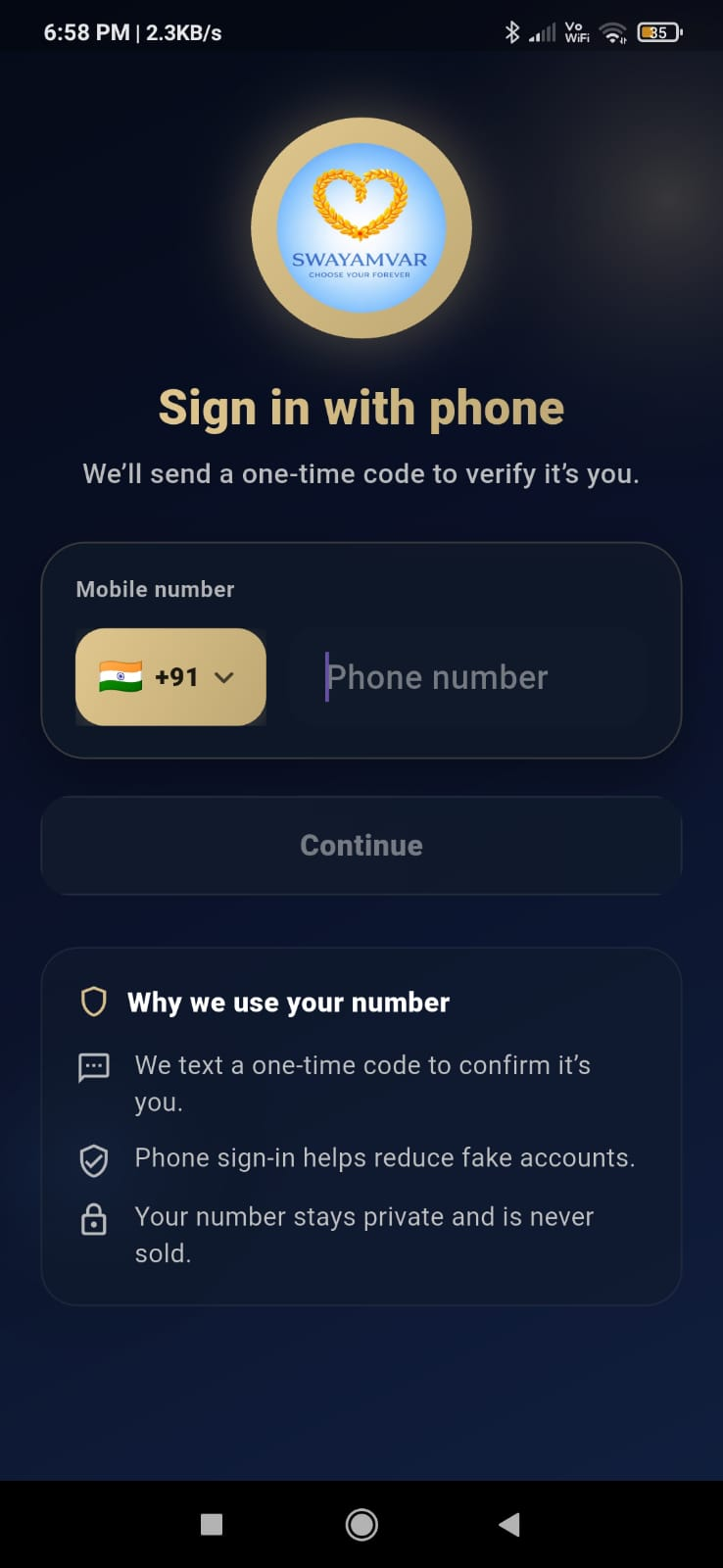
Step 1 of 9: Login with Mobile Number
Once you open the app, you can quickly start the registration process.
Enter Your Number: Select your country from the dropdown list and type in your mobile number.
Verify with OTP: Tap Send OTP. Enter the code you receive on your phone to verify your number and move to the next screen.

Step 2 of 9: Start Profile Setup
In this first setup section, fill in your basic login details:
Account Details: Enter your Username and primary Email Address.
How Did You Hear About Us?: Let us know how you found our app (Arya Samaj, Swayamwar App, Social Media, or Other Sources).
CRITICAL - Check Your Email & Location
Please double-check that your email address is correct. The app will send an automatic email notification here as soon as your account is approved.

You must also choose "Enable Live Location." This is required to verify that profiles are real and to help show
Profile Ownership (Important for Parents): If you are a parent or sibling creating this profile for a family member, choose the correct option under Profile Created For (Myself, Son, Daughter, Brother, Sister, or Other). Accept the terms and conditions to continue.


Step 3 of 9: Basic Information
This is one of the most important parts of your profile. It is the first thing other users will see.
⚠️ MANDATORY REQUIREMENT: Profile Photo
You must upload a clear profile photo of the candidate to proceed. To keep our platform safe and genuine, profiles without a profile photo cannot continue.
Personal Details: Enter your First Name, Last Name, Date of Birth, Gender, and Marital Status.
Community Details: Enter your Religion and Manglik Status.
Hobbies: Add your hobbies and interests so other members can learn more about what you like to do. Once done, click Next.


Step 4 of 9: Additional Photos
A single photo is not always enough. Use this section to upload a few more pictures so other members can get a better look at your personality.

Step 5 of 9: Personal Information
Adding detailed and correct information in this section helps our system recommend much better matches for you.
Birth Details: Enter your exact Birth Place and Birth Time.
Physical Details: Provide your accurate Height and Weight.
Education & Career: Select your Educational Qualifications, Profession Details, and Annual Income/Salary.
Lifestyle Habits: State your Dietary Preferences (Food) and Drinking Habits.
Profile Description: Write a short, honest description about yourself, your lifestyle, and your values.
⚠️ IMPORTANT NOTE If you do not fill out your personal information completely, your profile might not show up properly in search results. Completing this section makes sure you are fully visible to the community.


Step 6 of 9: Family Information
In our culture, marriage connects two families, not just two people. Entering your family details helps build trust with other members.
Parents' Details: Enter information about your Father and Mother.
Family Roots: Share your Family Background, family values, and any other family details that show your traditions.

Step 7 of 9: Partner Preferences
Tell the app exactly what you are looking for in an ideal life partner so we can show you the right profiles.
You can select your preferences for:
Preferred Age Range & Location
Educational Qualification & Profession
Food/Diet Preferences & Marital Status
Inter-Caste Marriage choices & any other expectations

Step 8 of 9: KYC Verification
Safety is our top priority. To keep the app completely safe and trustworthy, KYC verification is optional
This step is highly important because it:
Verifies that the profile belongs to a real person.
Keeps the community safe.
Stops fake profiles from joining.
Ensures you only interact with genuine members.

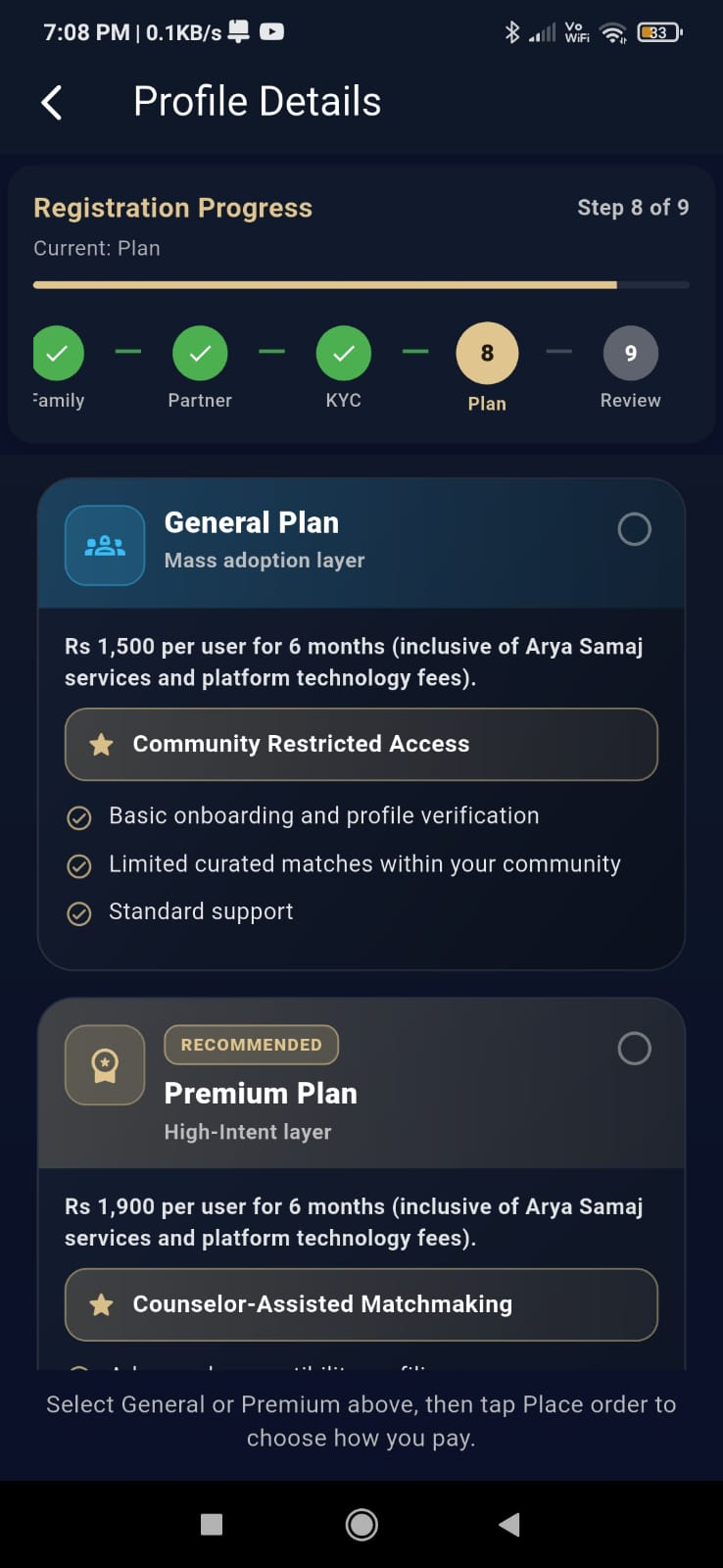
Step 9 of 9: Choose Your Membership Plan
Select the plan that best fits your requirements and your search journey:
Plan Type | What's Included | Best For |
General Plan | • Basic Onboarding • Standard Profile Verification • Limited Platform Features | Browsing the platform and looking at basic matches at your own pace. |
Premium Plan | • Advanced Compatibility Features • Specially Selected Introductions • Personalized Matchmaking Experience • Priority Help & Extra Premium Features | Serious users and families looking for a dedicated, faster, and complete search experience. |

Review & Submit: The Final Step
Before you submit your profile, take a moment to double-check everything you have typed. On the final screen, you will see three simple options:
Preview My Profile: See exactly how your biodata, photos, and details will look to other members.
Edit Profile: See a mistake? Go back to any of the steps to fix the information instantly.
Submit: Send your profile to our team for final approval.
Note: After you click submit, a final OTP may be sent to your mobile number for safety. Once verified, our team will review your profile.


Navigating the App: How Swayamwar Works
Once your profile is approved, you will see a simple navigation bar on your screen. Here is how to use the different tabs to find and connect with matches:
1. The Home Page (Profile List & Online Users)
This is your main dashboard where you can discover potential partners. It features two simple sections:
All Profiles: Scroll through a complete list of verified profiles matching your criteria. From here, you can Like a profile to save it, or easily Share it with family members to get their feedback.
Online Now Tab: A dedicated tab showing you exactly who is active on the app right now, so you can connect without waiting.
Self Section:This special section displays profiles created and managed directly by the candidates themselves (the bride or the groom), rather than by parents or relatives. This makes it easy to see and connect with independent users who are managing their own partner search.
2. Pings Tab (Requests Sent & Received)
Track your connections easily without any confusion:
Received Requests: See who is interested in your profile and wants to connect.
Sent Requests: Keep an eye on the profiles you have reached out to.
Matches: When both sides say yes, they appear here!
3. Chat Option (Secure Messaging)
Once a request is accepted, you can instantly start talking through our safe, built-in chat system. You can message candidates or families directly without needing to share your private phone number early on.


4. Registration Status & Account Settings Menu
Keep track of your profile approval and easily manage your privacy options from your account dashboard.
Profile Visibility Switch: You can use the quick toggle button to choose whether you appear in discovery lists or hide your profile temporarily.
Preview My Profile: Use this option to double-check exactly how your biodata, photographs, and career details look to other members.
5. Main Search Feed & Home Dashboard
Once approved, the Home tab opens up your main matching feed where you can browse and filter verified community members.
Look through clear candidate summaries showing names, ages, cities, and profession tags directly from the search feed.
Express Interest (Handshake Icon): Tap the handshake button to instantly send a formal connection request to a profile you like.
Save for Later (Heart Icon): Tap the heart button to add a user to your personal "Liked Profiles" list.
6. Account Summary & Sidebar Navigation
Tapping your profile menu opens up a fast-access navigation layout to help you manage your account settings on the go.
Membership Tiers: Your dashboard clearly shows your current plan level (such as Trial or Premium Self), along with renewal or expiration timelines.
Quick Photo Uploader: Use the Upload Photos shortcut link to update your gallery and keep your profile looking fresh at any time.


Finding Your Match
Browse Profiles: View detailed biodata and photos of verified members in the "All Matches" feed.

Why Choose Swayamwar?
Swayamwar – Choose Your Forever is more than just a matrimony platform. It is a trusted matchmaking ecosystem designed to help individuals and families build meaningful, long-lasting relationships through authenticity, compatibility, and shared values.
What Makes Swayamwar Different?
Verified Profiles & KYC Verification :Every profile undergoes verification to help maintain a safe and trustworthy community.
Family-Friendly Matchmaking :Whether you are creating a profile for yourself, your son, daughter, brother, or sister, Swayamwar supports both individual and family-led matchmaking journeys.
Detailed Compatibility Matching :Our comprehensive profiling process helps us understand your background, preferences, lifestyle, and partner expectations to recommend more meaningful matches.
Privacy & Security : FirstYour information is handled with care and protected through secure verification and profile management processes.
Personalized Matchmaking :ExperienceWith premium services, members can benefit from advanced compatibility profiling and carefully curated introductions.
At Swayamwar, we believe that finding the right life partner is one of life's most important decisions. Our mission is to make that journey trusted, transparent, and meaningful.
Need Assistance?
For any technical issues, profile updates, or verification queries, please reach out to our dedicated support team:
📞 WhatsApp / Call: +1-202-926-6667
📞 Text / Call: +1571-775-2310
Comments